Compatibility
Wireless CarPlay Adapters and Native Wireless CarPlay
Compare an adapter that converts existing wired CarPlay with factory wireless CarPlay, covering prerequisites, reconnection, power, support and update ownership.
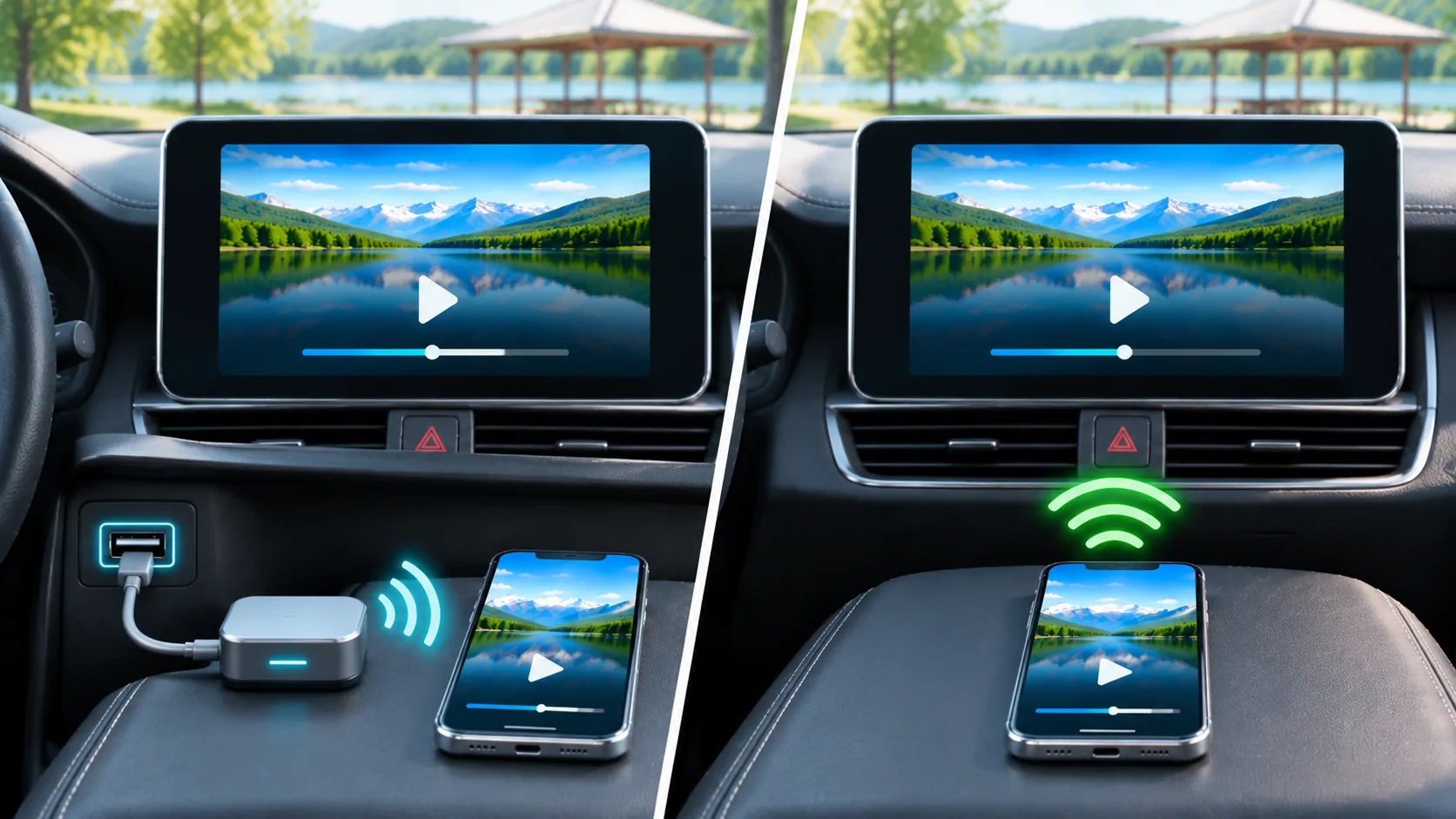
Establish what an adapter actually converts
A common wireless CarPlay adapter connects to a vehicle's existing wired CarPlay port and provides a wireless link to the iPhone. It normally depends on the vehicle already supporting the required wired CarPlay connection. It is different from a replacement head unit, an independent Android-based box or an adapter intended for another projection system. Check the exact product category before comparing prices.
Native wireless CarPlay is integrated into the vehicle or receiver's own implementation. Both approaches still depend on a supported iPhone, correct settings and a functioning vehicle system. An adapter is not a general upgrade that gives every USB-equipped car CarPlay, and neither connection method establishes dashboard video support. Begin with the capability that your current vehicle demonstrably has.
Verify the wired baseline first
Connect the intended iPhone directly using the vehicle's designated CarPlay data port and an appropriate data cable. Follow Apple's setup instructions and the owner's manual. Confirm that the CarPlay interface appears and that the functions you need work. A port that charges the phone is not by itself proof of CarPlay support or data connectivity.
If the direct connection is unstable, diagnose that problem before adding another device. An adapter can complicate a failing cable, damaged port, phone permission or receiver issue. Record which port and cable produced the working baseline. That gives you a useful comparison when an adapter later introduces slow startup or intermittent audio that was absent during the direct session.
Check the exact compatibility claim
Read the adapter manufacturer's supported-vehicle and supported-phone requirements for the actual model. Look for connection type, operating-system range, exclusions and firmware version. A broad list of car brands is less useful than a clear statement about the original receiver and wired CarPlay behavior. Similar-looking products can use different hardware and update processes.
Native wireless support also needs vehicle-specific confirmation. A model name may span multiple years, trims, regions and head units. Check the owner's manual and installed system rather than assuming a feature from the latest advertisement. If the car is used or modified, identify any replacement receiver. The compatibility checklist helps keep those details together.
Compare pairing and daily reconnection
Evaluate first pairing separately from repeated startup. An adapter may establish its own connection and then negotiate with the wired receiver, while native wireless handles the link within the vehicle system. Actual startup time depends on the implementation and conditions. Do not generalize a speed ranking from a promotional clip that begins after part of the connection process has already completed.
Test a cold start, a short stop and a return after the phone has been away from the vehicle. Record whether the expected phone connects, whether manual action is needed and how the system recovers after a failed attempt. Perform these checks while parked. A product that pairs once successfully may still be inconvenient if it frequently chooses the wrong phone or requires a reset.
Pay attention to multi-phone households
When several paired phones are nearby, the system needs a selection rule. Native implementations and adapters can offer different controls for priority, manual switching and deleting a device. Ask how a passenger's phone is prevented from taking over the session and what happens when the usual driver's phone is unavailable. The answer should come from the current manual or a controlled demonstration.
Try the switching workflow with the actual household phones before deciding. Check whether changing phones requires unplugging the adapter, opening a configuration page or selecting a vehicle menu. Also review how to remove stored pairings when selling the vehicle or product. A convenient connection is easier to maintain when device selection and cleanup are predictable.
Separate power, data and charging needs
An adapter uses the receiver's USB connection and may occupy a port that previously connected the phone. The phone may then rely on a separate cable or wireless charging pad for power. Wireless operation does not mean the phone's battery consumption disappears. Navigation, audio, radios and charging can create a different heat and battery situation from a direct wired session.
Check cable routing and whether the adapter obstructs adjacent ports or controls. Observe the vehicle's USB power behavior after shutdown using the manufacturer's guidance; do not modify wiring casually to change it. Native wireless has its own charging and thermal considerations, so compare complete daily use rather than only whether the center console looks free of a phone cable.
Evaluate calls and audio independently
Test supported music playback, spoken navigation and a stationary call. Listen for dropouts, switching problems and volume behavior. A successful music test does not prove microphone routing or call handoff will work equally well. Keep the phone, vehicle volume settings and source consistent when comparing direct wired, adapter and native wireless sessions.
If an issue appears, note whether the CarPlay interface disconnects or only the audio changes. That distinction helps narrow the layer involved. Use Apple's troubleshooting guidance and the adapter's current instructions. Avoid immediately changing several network and audio settings, because a temporary recovery would then give little evidence about the underlying cause.
Know who owns firmware and support
An adapter introduces another firmware supplier and support channel. Check the official update method, recovery process, warranty and current maintenance record. Install only the firmware intended for the exact hardware revision, following the manufacturer's instructions. A similarly named device or file from a forum is not a reliable substitute for a supported package.
Native wireless still depends on vehicle firmware plus iOS and app updates. It is not maintenance-free, but the support ownership can be simpler. Record all relevant versions before changing anything. When a problem starts after an update, those details help distinguish a receiver regression from an adapter or phone change, rather than treating every failure as an unspecified CarPlay fault.
Treat expanded feature claims cautiously
Some products advertised beside wireless adapters are independent computing devices with their own apps and accounts. Their behavior should be assessed as a separate system. Do not assume that an adapter converting a wired CarPlay link also adds authorized video, mirroring, web browsing or access to protected streaming services. Those are different capabilities with different requirements.
Apple's current developer overview describes video in supported cars when parked and automaker integration for AirPlay video. Neither means any adapter can enable those capabilities. Avoid purchases that depend on bypassing motion restrictions, unsupported software or content protection. Ask the seller to identify the exact supported route and its documentation instead of accepting an unqualified entertainment claim.
Decide with a controlled trial
An adapter can be a reasonable convenience upgrade when a proven wired system is reliable and the product explicitly supports it. Native wireless can be preferable when choosing a vehicle or replacement receiver and you value integrated controls and a single receiver support path. Either choice should be judged against reconnection, calls, battery use and recovery in your own setup.
Keep a working cable available when your receiver supports direct wired use, and know how to return to that baseline. A returnable trial with documented tests is more informative than a long feature list. Choose the arrangement that consistently completes your daily tasks, with clear support ownership and no assumption that connection convenience expands the vehicle's authorized display capabilities.
Sources
Related reading
Bring your own media.
Explore CarCast for iPhone with your own authorized sources and supported display configurations.