Compatibility
CarPlay Maps or Built-In Navigation?
Choose between CarPlay navigation and built-in maps by comparing route coverage, offline behavior, traffic, EV integration, display controls and update costs.
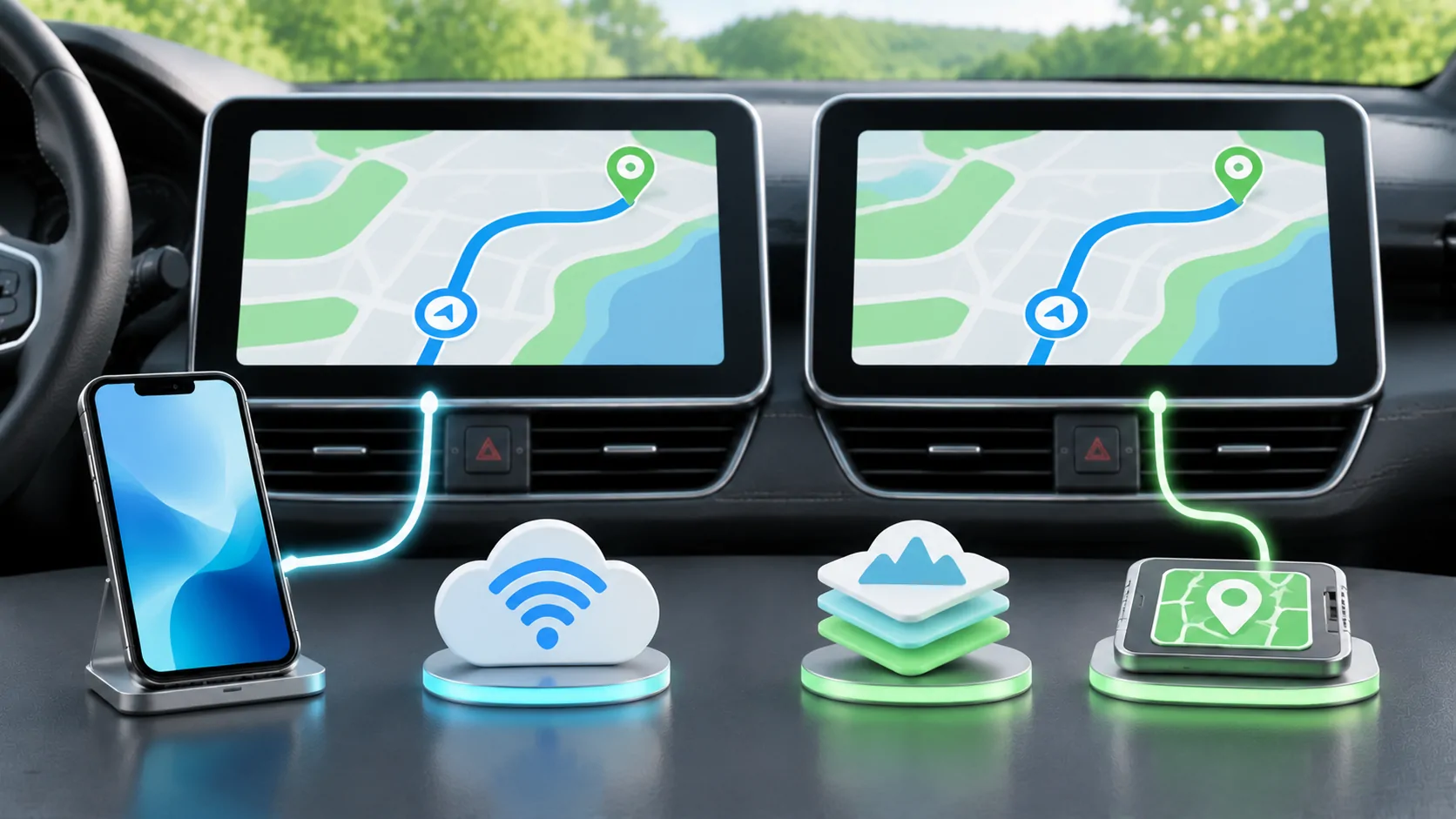
Choose by route and integration needs
CarPlay maps are useful when you want a supported iPhone navigation app on a compatible vehicle display. Built-in navigation may be useful when you need the manufacturer's own route integration or a system that starts without a connected phone. Neither choice is always more accurate, more current or better offline. The answer depends on the app, vehicle, region and actual route.
Keep both available when your vehicle supports them. A dependable fallback can matter more than naming a permanent winner. Begin by testing destinations and journeys that represent normal use, then compare how each system behaves when traffic changes, connectivity disappears or the phone is unavailable. Make setup and comparisons while safely parked rather than experimenting with menus during driving.
Compare the exact maps available to you
CarPlay is an interface for supported apps, not a single universal map database. Different iPhone navigation apps can use different search, routing, traffic and offline features. Built-in systems also vary by manufacturer, system generation, installed data and region. Two cars from one brand may not use the same navigation product, even if both displays carry familiar branding.
List the app versions and vehicle software before comparing directions. Check your home area, likely travel destinations and any border crossings. A service that performs well in one city may have incomplete address or lane information elsewhere. Ask whether a map update or additional region is required, and verify availability rather than relying on a broad claim of global coverage.
Test destinations before judging routes
Search for a street address, a business entrance and a destination with several parking areas. Compare whether each system selects the intended arrival point. A route can be technically correct yet stop at the wrong side of a large site. For repeated journeys, saved destinations, contact addresses and recent searches can affect convenience as much as the route calculation.
Record confusing results and check whether the issue is address data, search interpretation or a road restriction. Avoid judging the whole service from a single miss. If your routine involves rural properties, private roads or commercial loading areas, add those cases explicitly. Navigation is a task with an arrival requirement, not just a line drawn near the destination.
Check offline behavior directly
Do not assume a built-in system is fully offline or that phone-based navigation always needs continuous data. Capabilities vary. Confirm whether map data must be downloaded, which region is stored and whether route creation, search and rerouting work without a connection. Real-time traffic is a separate dependency from the base map and route calculation.
While parked, prepare a permitted offline test and attempt a new route using the stored data. Distinguish a previously loaded route continuing from a fresh destination search. Note any missing voice assets or expired downloads. A system that continues guiding for a few minutes after disconnection has not necessarily demonstrated complete offline navigation for a long journey.
Evaluate vehicle information integration
Factory navigation may use vehicle-specific information such as energy status or display integration, depending on the implementation. CarPlay navigation can also share information with supported vehicles. Apple's developer overview describes supported navigation and display capabilities, but it does not establish that every vehicle or app implements them. Verify the exact combination rather than choosing from a platform-level diagram.
For an EV, ask how charging stops, battery estimates and charger availability are handled. Determine which data is live, which is estimated and what the route does when conditions change. For other vehicles, consider fuel planning, road restrictions and any model-specific functions you actually use. An integration is valuable when it improves a real decision, not merely because an extra symbol appears on screen.
Look at instruments and physical controls
Check turn information in the instrument cluster or head-up display, as well as the main screen. Compare text size, voice guidance, zoom and switching between navigation and another task. A vehicle's native map may have deeper integration in one generation, while another supports the phone route in several places. The owner's manual is the right reference for that model.
For example, BMW's digital manual selector uses a VIN to locate relevant instructions. Other manufacturers have their own selectors. This is why a review of a similar-looking dashboard cannot establish every control on your car. During a demonstration, ask to perform the specific actions you need instead of watching only the dealer's preferred workflow.
Compare traffic and rerouting sensibly
Live traffic can improve decisions, but subscriptions, mobile data, regional availability and update frequency differ. Check whether the built-in service is active and whether the phone app has the necessary permissions and connectivity. A traffic icon does not prove that the current road segment has fresh information. Keep estimated arrival times in perspective when conditions change quickly.
For a fair comparison, use routes and time periods that are reasonably comparable. Do not infer that one system is always faster because it suggested a shorter journey on a single afternoon. Record the route, conditions and reason for preferring one instruction. Reliable entrance selection or clearer lane guidance may matter more to you than a small difference in the initial estimated time.
Include updates and ownership costs
Phone navigation updates can involve app and iOS changes, while the car's receiver still has its own firmware. Native map and service updates may follow another schedule and payment model. Check the current manufacturer's terms for your vehicle, including any trial that expires after purchase. Do not assume a subscription covers map data, traffic and all connected services together.
If buying used, verify the installed version and available update route before paying for a service package. A phone update will not refresh a factory map database automatically. Conversely, a new native map package will not fix an iPhone pairing problem. How CarPlay updates reach the car separates those layers and helps identify who owns a missing update.
Plan the fallback before you need it
If the phone battery is low, a cable fails or a wireless session drops, know how to open the alternative navigation system. If the built-in service is unavailable or outdated, have a supported phone map prepared. Keep the destination available in a form that can be entered again while stopped. A fallback that depends on the failed component is not a dependable backup.
Apple's CarPlay setup guide explains the normal connection path. Complete pairing, permissions and route preparation before departure. Avoid transferring destinations or repeatedly changing systems while moving. When both systems are available, the safest operating choice is often the one whose controls you understand and whose route has already been verified.
Make a repeatable choice for each trip
Use the phone app when its destination search, saved places or route coverage fits the journey. Use built-in navigation when its verified vehicle integration or independent availability is more useful. For a long unfamiliar trip, review both beforehand and identify any difference that could affect arrival. There is no need to force the same choice for every journey.
Keep a brief record of the car software, navigation app and regional data that produced the result. Recheck after substantial updates or a change of vehicle. A useful comparison ends with a prepared route, a known fallback and clear expectations about offline data and subscriptions, rather than a claim that all factory maps or all CarPlay apps behave alike.
Sources
Related reading
Bring your own media.
Explore CarCast for iPhone with your own authorized sources and supported display configurations.