IPTV & Media
Emby Users and Media Library Permissions
Set up Emby users with appropriate library access, distinguish local users from Emby Connect, and verify permissions from the viewer account.
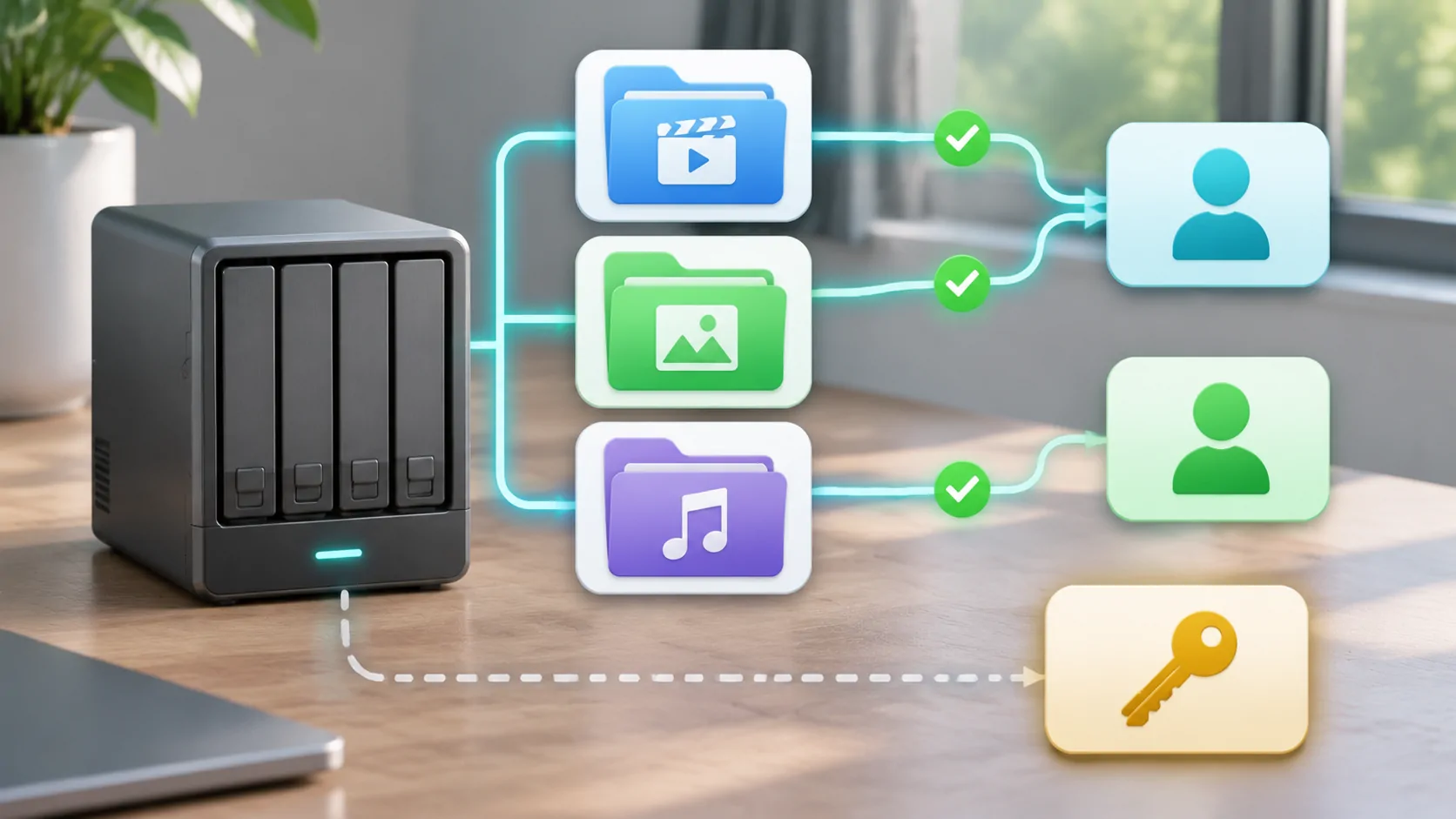
Emby users determine which personalised libraries and server functions a person can access. Create a separate ordinary user for a viewer and grant the libraries they need, rather than sharing the server administrator's login. Then verify the result by signing in as that viewer, because an administrator's library view does not prove the viewer's permissions are correct.
Only share media you are entitled to provide to that person and setting. Server access is a technical permission; it does not establish distribution rights in every file. For a vehicle-related session, prepare the account and authorised content while parked and check the intended client and display separately.
Understand the Local User Model
The official Emby Users documentation explains that many operations are organised around users, including personalised libraries, user data, recommendations and security settings. Local users are created and managed within the personal server. The initial setup creates a user with administrative access.
That first account should not automatically become the shared viewing account for everyone. Administrative access allows server management and is broader than ordinary playback. Keep it for the people responsible for configuration, updates and user management.
Use distinct users when people need different access or personal history. That makes permission review more understandable and avoids mixing one person's progress with another's. Do not assume that giving accounts similar names makes their settings identical; inspect the intended account's actual configuration.
Organise Libraries Before Assigning Access
Library permissions are easier to apply when the libraries reflect a deliberate structure. Emby's Library Setup guide describes the library configuration model. Keep the media locations and types understandable before using library access as the main boundary between viewers.
If all content is placed in one broad library, granting that library can expose more than intended. Conversely, unnecessary fragmentation can make maintenance confusing. Choose a structure that matches actual viewing groups and review the files placed within each library.
Do not treat a library title as a content guarantee. A folder called Family can still contain a misplaced item. Access rules operate on the configured scope, while the administrator remains responsible for its contents and any additional restrictions supported by the current server version.
Grant Specific Access Deliberately
Emby's user documentation describes configuring library and channel access for a user, including selecting specific entries rather than granting everything. Follow the current dashboard controls and review the result before handing the account to the viewer. Interface details can change across releases.
Set a suitable password promptly and protect it. Avoid giving a user administrative privileges merely to make a missing library appear. A visibility problem should be diagnosed through library access, account configuration and media availability, not solved by expanding every permission.
If you copy preferences from another user through a supported feature, inspect the resulting account afterward. Copying can be convenient, but it can also carry settings that do not match the new viewer's needs. Treat the existing user as a starting point to review rather than an unquestioned template.
Emby Connect Does Not Replace Server Permissions
The Users guide explains that linking a local user to Emby Connect can simplify sign-in so the user need not know the server's address. The local server user still has its own access configuration. Easier discovery or authentication should not be confused with automatically granting every library.
Confirm which local user is linked before inviting someone to use the account. If the wrong local account is associated, the person can end up with the wrong view even though sign-in works. Check the server-side identity and permissions rather than repeatedly changing the remote client.
Also distinguish Connect account credentials from local server administration. Use Emby's supported linking and recovery process rather than sending an administrator password to a viewer. Do not publish account details or server addresses in a public troubleshooting discussion.
Verify from the Viewer Account
Sign in through the intended supported client as the ordinary user. Check which libraries are visible, open a permitted sample, and confirm that an intentionally excluded library is absent. Inspect the actual user identity before interpreting the result, especially on a device that was previously used by an administrator.
Test playback separately from visibility. A user may be allowed to see a library while a file is unavailable, encoded incompatibly or unreachable over the current connection. Conversely, a working item does not prove that the account's overall scope is appropriate.
Use a harmless sample where possible and record what you actually checked. Do not claim a successful permission test without performing it. If a report is needed, provide the local user, intended library scope and symptom through a trusted channel, with private account and media details redacted.
Treat Remote Access as Another Layer
A correct user configuration does not make the server reachable from every network. Remote addresses, HTTPS, routing and client support need their own setup. Test a documented external connection while stationary, keeping the same ordinary user and sample media.
For the trust and address questions involved, Jellyfin remote access planning discusses general distinctions, though Emby's configuration must follow Emby's own current documentation. Do not copy another product's paths, ports or user settings without a documented reason.
For a car setup, verify phone playback before adding an external display. Media-server access does not create universal dashboard video support, and an audio integration is not evidence of video capability. Use a compatible lawful parked or passenger workflow and preserve the vehicle's protective restrictions.
Review Users as Circumstances Change
Remove or restrict access when it is no longer needed through the server's supported controls. Review library assignments after reorganising content, because a changed library can alter what an existing user sees. Keep the administrator list small enough to understand who can change the server.
If credentials leak, change or revoke the relevant access rather than merely deleting a client shortcut. Document who maintains the server and how users should request help. A clear ownership and recovery process is useful when a shared device is lost or a household arrangement changes.
Finally, revisit the lawful-source checklist before sharing new material. Appropriate technical permissions and appropriate content rights are both necessary. A well-managed Emby account gives a viewer the intended library scope without turning routine playback into server administration.
Sources
Related reading
Bring your own media.
Explore CarCast for iPhone with your own authorized sources and supported display configurations.