IPTV & Media
An M3U Playlist URL Will Not Open: What to Check
Diagnose an M3U URL that will not open by separating address errors, HTTP responses, authentication and playlist parsing problems.
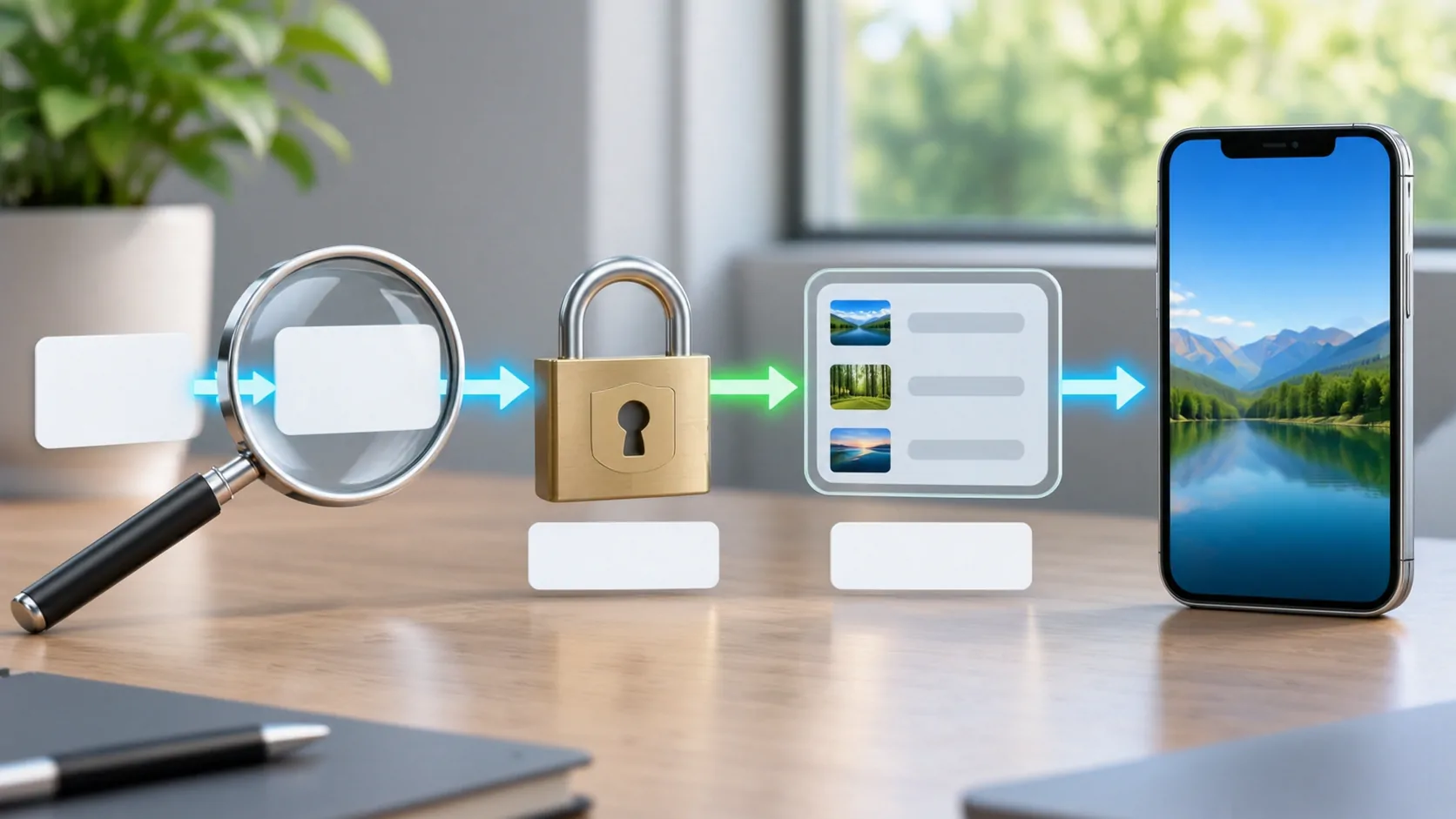
An M3U playlist URL that will not open can fail before the player ever reads a playlist. The address may be incomplete, the server may require authentication, the response may be an HTML sign-in page, or the downloaded text may not match the input type the player expects. Diagnose those stages in order instead of treating every failure as an invalid file.
Use an authorised source and perform these checks while parked if a vehicle is involved. Keep the full address private: query parameters and path segments can carry passwords or access tokens even when they look like ordinary filenames.
Preserve the Original Address First
Copy the provider's original address into a private note before changing anything. Compare the pasted version character by character. Common damage includes a missing HTTPS scheme, an accidental line break, a trailing full stop copied from a message, or a shortened link that opens a web page instead of returning the list.
Do not assume every character after a question mark is optional. Query parameters may specify the account, output format, subscription or signed access period. Removing them to make a URL look cleaner can invalidate it. Similarly, changing letter case in a path can matter even when the hostname is case-insensitive.
RFC 3986 explains the distinct URL components. The practical rule is to use the source exactly as supplied unless its owner documents a correction. Record any intentional change so you can reverse it.
Confirm What the Input Field Expects
Determine whether the app expects a channel playlist URL, an individual stream URL, or a provider-specific login. These are different inputs. A website homepage is not a playlist, and an account portal may need a login flow that a simple URL importer cannot perform.
A link ending in .m3u is suggestive, but extensions do not guarantee response content. A URL without a filename can legitimately return playlist text. Ask the source owner for the documented playlist endpoint and any required access method rather than guessing paths or trying lists of common credentials.
If your source is a downloaded file, use the app's documented file-import method. Pasting a computer's local file path into an internet URL field usually cannot work on an iPhone. What an M3U playlist contains explains the distinction between a list and the media it references.
Inspect the Server Response Safely
On a trusted device, opening the address in a browser may reveal whether it downloads text, redirects to a login page or shows an error. Do not paste a private link into online playlist validators, public URL checkers or search engines. Those services may store or fetch it.
The HTTP semantics specification distinguishes status classes. A 401 commonly indicates authentication is needed; 403 means the server refuses the request; 404 means the requested resource was not found. A 5xx response points to a server-side failure. The exact cause still depends on the provider.
Even a 200 response is not proof of valid playlist content. It may contain a friendly error page, quota notice or account portal. Check the response body and content type where tools allow it, without exposing the account-bearing address.
Separate Authentication from Syntax
A perfectly formed URL can fail because its account is expired, its token is no longer valid, or its subscription permits only certain locations or devices. A new login or regenerated link from the legitimate provider may be necessary. Repeated punctuation changes will not restore expired authorisation.
Some providers rely on cookies, request headers or session state. A link that works in an already signed-in browser may fail in a player that makes an independent request. Ask whether the provider supports third-party players and what documented authentication method they require. Avoid extracting session tokens from unrelated applications.
If several people share an account, confirm the permitted connection limit. An owner should resolve account and access policy questions. Do not bypass regional, payment or device restrictions, and do not publish credentials when asking for help.
Check the Downloaded Text
If you can retrieve the file, inspect a private copy with a plain-text editor. The VideoLAN M3U reference shows the basic structure. Extended lists commonly start with #EXTM3U, followed by metadata and media locations. An empty file, an HTML document or a JSON error is a different response.
Look for broken lines, missing media locations and characters altered by a rich-text editor. A catalogue that uses an unusual extension may be accepted by one player and rejected by another. That is an interoperability issue, not proof that either application supports every convention.
Keep the original file unchanged. If you control the source, reduce a copy to one known authorised entry and test that small example. A small file helps identify a syntax problem without repeatedly processing thousands of unrelated lines.
Compare Networks Without Changing Everything
Test the same address on trusted Wi-Fi and mobile data, keeping the app and source identical. A difference may suggest DNS, routing, filtering or a private-network address. It does not by itself prove intentional blocking. Do not change the player, account, network and URL simultaneously; you would lose the comparison.
If the hostname resolves only on your home network, ask the server administrator for a supported remote-access method. If HTTPS reports a certificate problem, correct the certificate or address rather than disabling trust checks. Avoid sending account details over an insecure network.
Once the playlist imports successfully, stop diagnosing the import. If names appear but media fails, switch to channels that do not play. The next stage involves different requests and possible failures.
Send a Useful Support Report
Provide the app version, device version, approximate failure time, connection type and exact error wording. State whether the address failed to download, downloaded non-playlist content, or imported with no playable entries. Include the HTTP status only if you actually observed it.
Redact credentials, signed queries and private hostnames from screenshots. A provider can often locate the event using an account reference sent through its official private support channel. A public discussion should contain only a harmless example or a reduced file you own.
The useful endpoint is an identified failure stage. Once you know whether the problem is the address, account, HTTP response or parser, you can ask the responsible party for a concrete correction.
Sources
Related reading
Bring your own media.
Explore CarCast for iPhone with your own authorized sources and supported display configurations.