Guides
Driving Focus and CarPlay Notifications
Configure Driving Focus activation, allowed notifications and auto-replies without confusing a deliberate quiet policy with a CarPlay failure.
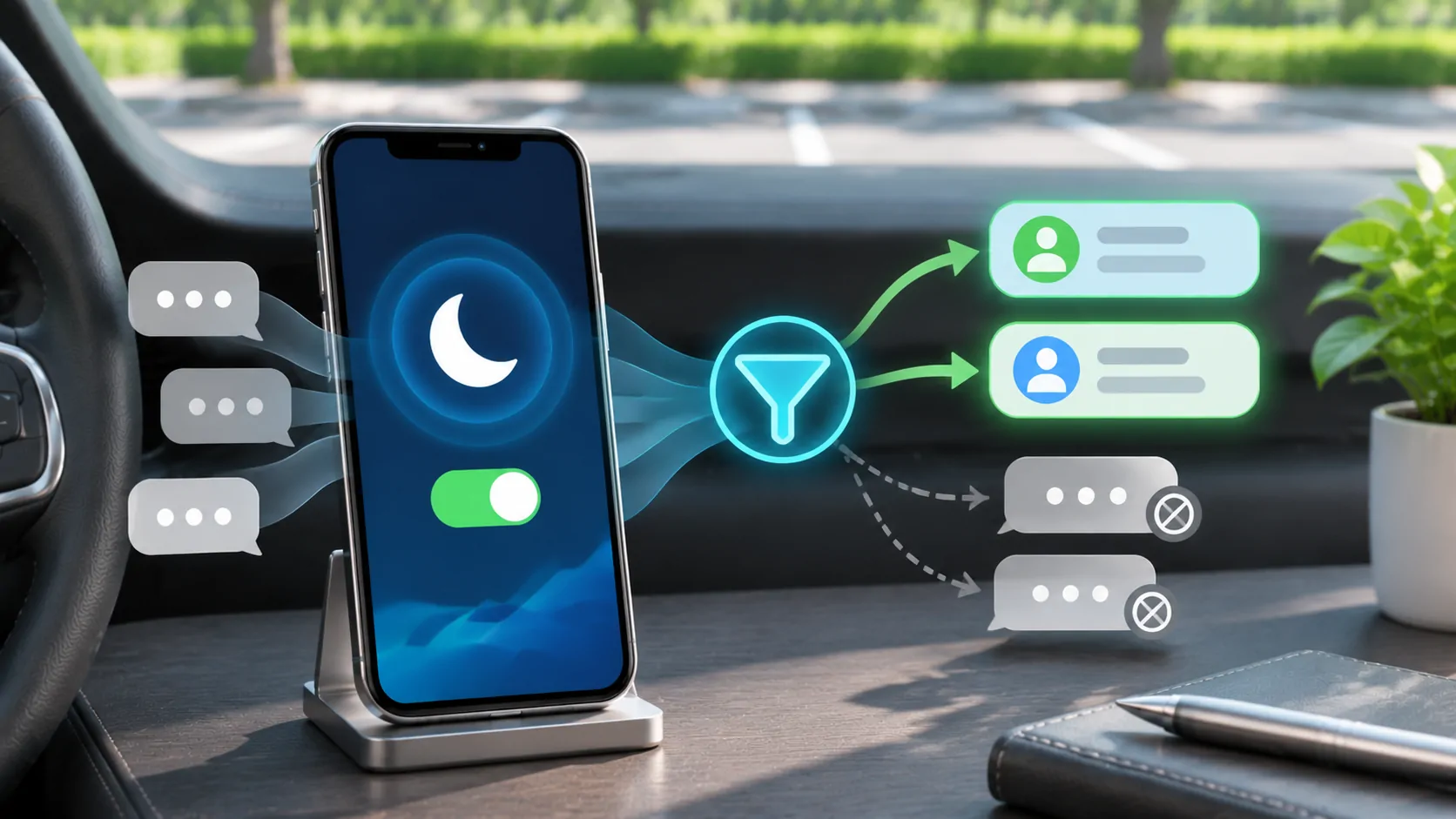
Driving Focus can silence or limit messages and other notifications while you use CarPlay. It can activate automatically with CarPlay, with a car Bluetooth connection, through detected motion or manually, depending on your settings. Configure the intended policy while parked, then test it; a quiet notification can be the expected result of Focus rather than a broken connection.
Understand what Focus controls
Driving Focus is an interruption policy, not a replacement for CarPlay pairing or a guarantee that no communication can arrive. Apple's Driving Focus guide explains notification limits, allowed people, activation choices, Focus status and automatic replies.
These controls affect different stages. A message may reach the phone but produce no immediate alert. A contact may see that notifications are silenced even though their message was delivered. An auto-reply can inform selected people that you are driving without requiring you to respond.
Do not use the absence of a sound as the only measure of whether a message arrived. Inspect the relevant app while safely parked and distinguish delivery, visual notification, audible alert and spoken announcement.
Choose a deliberate activation method
Open Settings, Focus and Driving on the iPhone. If Driving is not configured, follow the available setup process. Review when it should turn on rather than accepting an activation method you do not understand.
Apple lists automatic motion detection, connection to car Bluetooth, manual activation and activation with CarPlay. Choose the option that matches your usage. A passenger's phone may detect vehicle travel even when that person is not driving; review the current state while parked instead of assuming that motion detection identifies the driver perfectly.
If you use more than one vehicle, test the relevant connection. An ordinary Bluetooth link and a CarPlay session can trigger different configured behaviours. Record the chosen activation method so future changes are easier to interpret.
Decide who may interrupt
Review allowed or silenced people in Driving Focus. Select contacts intentionally rather than allowing everyone simply to fix one missed alert. A small set of important contacts can be more appropriate than opening every conversation during a journey.
The meaning of an allowed notification can depend on the app and available settings. Test a short ordinary message from a trusted person and inspect what happens on the phone and CarPlay. Do not assume every third-party communication app applies the same policy.
Keep emergency communication expectations realistic. A personal notification configuration is not a substitute for a dedicated emergency plan. Tell close contacts how to reach you appropriately when you cannot safely respond immediately.
Configure auto-replies without oversharing
Driving Focus can send an automatic reply to selected groups such as favourites or contacts, using the options provided by the phone. Write a brief message that explains you may respond later. There is usually no need to include your destination, route or schedule.
Apple describes an option for a sender to notify you anyway by sending an urgent follow-up. Understand that behaviour before relying on an auto-reply as an absolute barrier to interruptions. Avoid inviting routine contacts to mark every message urgent.
Test with one trusted recipient. Confirm who receives the reply and what it says. If the wrong audience receives it, correct the auto-reply setting rather than changing CarPlay pairing.
Distinguish Focus status from message content
Focus status can tell compatible apps that notifications are silenced. According to Apple, apps do not receive the name of the particular Focus through that status alone. Sharing that status still deserves a conscious privacy choice, especially when you use both personal and work devices.
Review whether Focus is shared across devices and which apps may display the status. A change made on another device can affect what you observe if settings are shared. Check the actual state rather than assuming the car activated everything itself.
A sender seeing a silenced-notification indication is not proof that their message failed. Likewise, a visible message on the iPhone does not mean it should have been spoken aloud in the cabin.
Set announcement preferences separately
The CarPlay use guide describes message announcements through Siri. Those announcement settings are separate from the question of when Driving Focus activates. Both need to match your intended experience.
If you want eligible messages read aloud, review the appropriate announcement settings and the selected message categories. If you prefer privacy with passengers, disable or narrow announcements using supported controls. Neither choice requires abandoning Focus entirely.
The message announcement guide provides a controlled setup sequence. Test a short message before a journey so that unexpected spoken content does not become a distraction later.
Diagnose unexpected silence or interruptions
If a notification is missing, first confirm whether it exists in the source app. Then check whether Driving Focus is active, whether the sender is allowed, and whether the app's ordinary notification settings permit the desired alert. Finally inspect announcement preferences.
If too many alerts arrive, inspect the allowed people and relevant notification policy. Do not begin by forgetting the car or resetting the phone's network settings; those changes do not directly explain a deliberately permissive Focus configuration.
For calls, test separately from messages. Apple describes incoming calls being allowed with CarPlay, car Bluetooth or a hands-free accessory. The call guide helps distinguish incoming-call policy from speaker or microphone faults.
Recheck the policy when your situation changes
A new work role, shared car, replacement phone or changed contact list can make an old configuration unsuitable. Review allowed people and auto-reply recipients periodically without automatically changing the published dates of any support material.
Set a policy you can explain in plain language: when Focus starts, who can interrupt, what is announced and what automatic reply is sent. Then verify that policy with a parked test.
Driving Focus is most useful when it makes the journey quieter and more predictable. It does not remove the need to defer demanding conversations, obey local rules and give the road priority even when communication is hands-free.
Sources
Related reading
Bring your own media.
Explore CarCast for iPhone with your own authorized sources and supported display configurations.