IPTV & Media
Understanding Channel Groups and Logos in M3U
Understand group-title, tvg-id and logo metadata in M3U channel lists, including why their appearance differs across players.
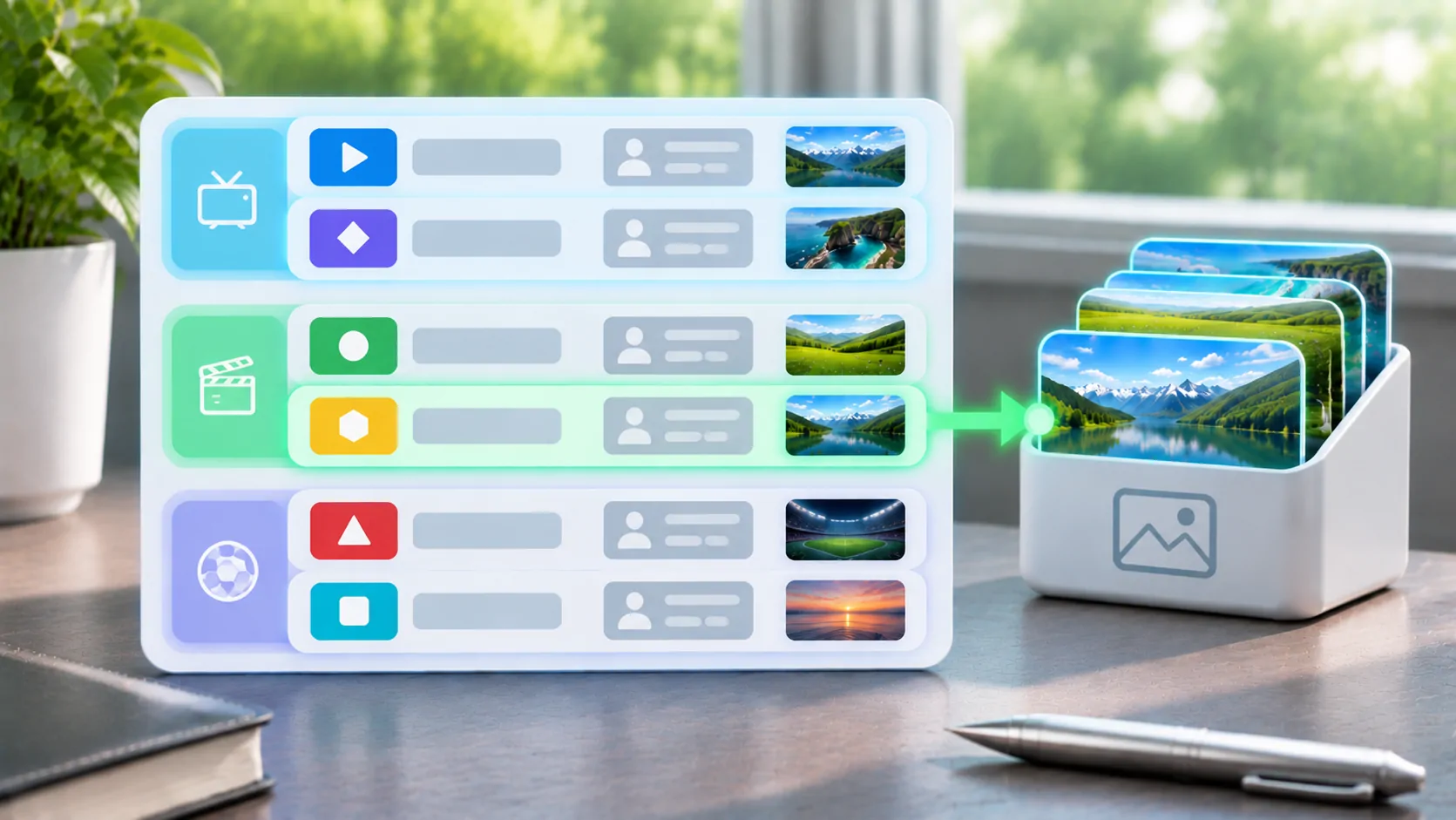
Channel groups and logos in an M3U list are metadata conventions that help a compatible player organise entries. They do not change the underlying stream or prove that it is available. A list may play correctly while its groups, artwork or programme associations appear differently in another application, because players recognise different extensions and apply different matching rules.
When editing a list you own, treat visual metadata and media locations as separate fields. Back up the original, work on a small sample, and check the receiving player's documentation before rebuilding a large catalogue around one application's behaviour.
Start with the Information Line
Extended M3U uses an #EXTINF line to describe an entry before the following media location. The visible name commonly appears after a comma. IPTV lists may add attributes such as group-title, tvg-id, tvg-name and tvg-logo. These extra names are widely encountered, but recognition is not universal.
The VideoLAN M3U reference is useful for the underlying playlist structure. For a concrete implementation of IPTV metadata, the Kodi IPTV Simple Client documentation describes supported conventions. It documents that client; it is not a promise about every other application.
Do not remove quotes or rearrange punctuation simply because a text editor makes the line look crowded. A parser may depend on the attribute syntax. Change one property in a sample entry and verify the outcome before applying the same edit throughout the file.
Understand What a Group Represents
A group is usually an organisational label such as News, Sports or Local. It does not necessarily correspond to a separate server, account package, country licence or playback capability. Two entries in the same group can point to unrelated media systems, while one stream can appear under several labels.
Choose group names that a reader can scan. Keep spelling and capitalisation consistent if you maintain the list. Otherwise, nearly identical labels may become separate groups. Decide whether language, subject or location is the main organising principle; mixing all three in one field can make a large list difficult to browse.
Some players flatten groups, some support favourites, and some may interpret multiple labels differently. Document the intended behaviour for your target application rather than relying on a delimiter that only one importer understands. The stream URL should remain unchanged during this visual organisation work.
Keep Channel Identity Separate from Its Name
A visible channel name is for people; an identifier is often used for matching. A programme guide may expect a tvg-id value to correspond to a channel identifier in a separate guide file. A small spelling difference, duplicate identifier or different regional feed can produce missing or incorrect guide information.
Renaming the visible title does not necessarily repair the identifier. Similarly, changing an identifier may disconnect an otherwise correct guide association. Record both values and check the guide provider's mapping rather than inventing an ID from the channel's logo or website address.
Avoid merging feeds just because their branding looks similar. A national service and a delayed regional version may share a logo but have different schedules. Programme guide support is also a player capability that must be verified separately. This explanation does not claim that CarCast imports or renders EPG metadata.
A Logo Is Another Network Resource
A tvg-logo value commonly points to an image location. The player must retrieve and decode that image independently of the media stream. A channel can play while its logo fails because the image has moved, requires authentication, uses an unsupported format or is blocked by the current network.
An image that appears in a logged-in browser may rely on cookies the player does not have. A relative image address also needs a base location; RFC 3986 explains how relative references resolve. Copying a playlist to another host can therefore affect artwork even when you leave the text unchanged.
Use artwork you are entitled to reproduce and a stable source under the owner's control. Large images add unnecessary transfers and may load slowly on mobile data. A provider's documented logo URL is preferable to a temporary search-result thumbnail or an image extracted from an unrelated service.
Diagnose Missing Artwork Systematically
Test one affected entry first. Confirm that its logo attribute exists and that the address has not been truncated. Open the image privately on the same connection, then check whether the receiving player supports the image type and metadata field. If the application offers a documented metadata refresh, use that before rewriting unrelated entries.
Cached images can complicate the result. The server may have corrected the image while the client still shows an older version. Record whether the symptom persists after the application's supported refresh process, and avoid promising that reinstalling always clears the relevant cache.
If no logos appear, a player capability or shared access problem is more likely than hundreds of independent missing images. If only one logo fails, focus on that address. Keep the media URL fixed so a metadata repair does not accidentally create a playback failure.
Edit a Small Copy Before the Master List
Create a private test list containing two or three authorised entries with distinctive names, different groups and known accessible logos. Import it with the same method as the full catalogue. Compare names, group placement, artwork and playback separately. This reveals which fields the player actually uses.
Then adjust a copy of the master file. Preserve its character encoding and plain-text format. Keep IDs stable where they already match external data. If you use a script to edit attributes, review the resulting lines rather than assuming every entry has identical punctuation or field order.
For the broader file model, read what an M3U playlist is. For guide timing rather than missing artwork, EPG time zones explains why a correct channel identity can still show the wrong programme time.
Maintain Metadata Without Overclaiming Support
Keep a short maintenance record: source owner, last retrieval date, intended player and edits made. Remote catalogues may overwrite local metadata changes on the next update, while a local copy can fall behind source corrections. Choose a workflow that makes those consequences visible.
When asking for help, supply a redacted sample that retains the metadata structure but replaces credentials and private media locations. State the application and version, the field that failed, and whether playback itself works. That gives support a reproducible question without disclosing account access.
Groups and logos improve navigation when both the list and player agree on their meaning. Treat them as optional presentation and matching data, verify them in the intended application, and keep their success separate from the health of the stream.
Sources
Related reading

Bring your own media.
Explore CarCast for iPhone with your own authorized sources and supported display configurations.